Free
- 10 document uploads total
- 50 processing units total
- 200 MB document storage
For trades, freelancers and small businesses
Create invoices, collect receipts, and download PDF or Excel reports for your accountant.
No card required · Free uploads never expire
Free invoice templates: Construction · Cleaning · Electrical · HVAC · Plumbing
Keep income and expenses together. Find an original by name or filter by the month on the document.
Confirm dates, amounts, categories and business use before the figures go into your report.
Get an Excel workbook, a PDF report or a complete pack with the original documents.
Download the examplesForward receipts and invoices or upload files. PDFs and photos are read when you open the workspace.
Check dates, totals and categories against the originals before you approve.
Choose Excel, PDF or a ZIP pack with the originals.
Forward receipts and invoices to your private collection address. Open your workspace to read PDFs and photos, then review your draft reports.
Set up email collectionCreate a PDF invoice, save it as unpaid, then mark it paid when payment arrives.
Explore invoice generatorSearch records and prepare reports with your preferred MCP client. Approve proposed changes in FigureLane.
Explore the MCP serverDownload your reviewed figures or include the originals in a complete ZIP pack.
Downloadable examples · Fictional figures
Follow the three-document example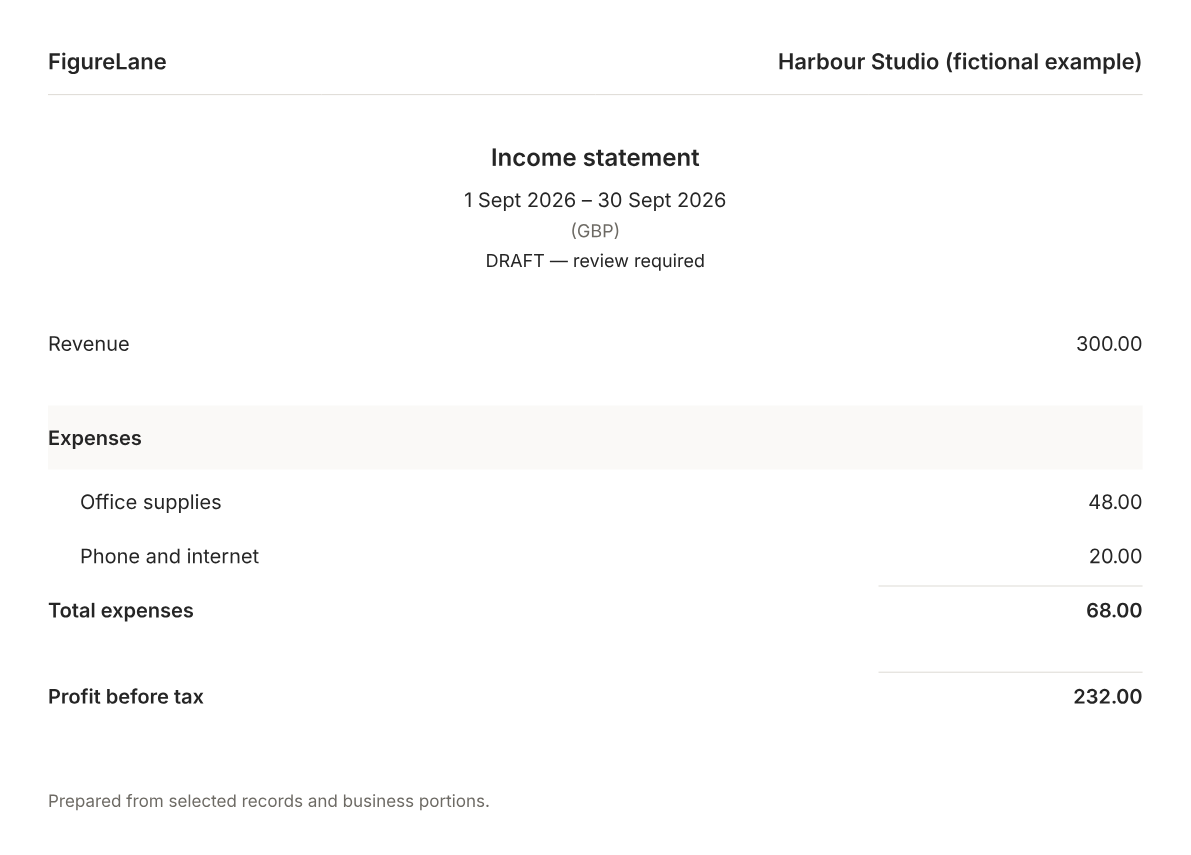
Your originals stay private. Storage and access
Freelancers and sole traders running a service business, such as consultants, designers and developers. Solopreneurs and small businesses can collect receipts and invoices automatically by email, review their records, and prepare Excel or PDF reports for themselves or their accountant.
Yes. Enable Email collection in Settings, then forward selected supplier emails to your business’s collection address or give it to suppliers. Emails are collected automatically. PDFs and photos are read when you open your workspace; CSV and plain-text receipts are read on arrival. The resulting records update your draft reports. Review and approve the figures yourself. You can pause collection or replace the address. Existing document, processing and storage allowances apply; there is no direct Gmail or Outlook inbox connection.
Create an account, verify your email and set up your business. Enable Email collection in Settings to forward receipts and invoices, or upload a few documents to try it. Check dates, totals, income or expense, categories and business use against the originals. Correct uncertain readings, then open Reports and download Excel or PDF. The free sample includes 10 uploads total, with no expiry or card required.
Originals, extracted text and records are saved in your private Cloudflare workspace; originals use Cloudflare R2. Your account can preview and download its originals. Upload links allow files and folder questions, but cannot download originals. Optional connected apps can receive requested records and reports within the permissions you grant. Authorised service and hosting operators may access stored data for maintenance or recovery.
Enter your monthly document count and manual entry time.
Start free. Upgrade when you need more.
Two months free with yearly billing
Free
$10/month
Billed monthly$40/month
Billed monthlyCustom pricing
All plans include email collection, invoices, document review, income and expense reports, and PDF, Excel, CSV and original-file downloads.